Q1 Fall 2024

Week 1 | August 19th - 23rd | Edit Week 1 - Rotate Days / Change Dates or Style  [must be logged in]


Welcome to Class! Be working on:

    • Pluralsight
    • AI
    • or Project
IMPORTANT THINGS TO KNOW:
  • After you Finish your AI Cert Access will be builtin Pluralsight for  / A+ / Network + Securty +   ETC
  • All Projects must be inventoried HERE

Pluralsight | Utah Valley University

View Full Page

Welcome to Class!!

  • Projects Inventory
  • Please take the PRETEST
  • Pluralsight
IMPORTANT THINGS TO KNOW:
  • After you Finish your AI Cert Access will be builtin Pluralsight for  / A+ / Network + Securty +   ETC
  • All Projects must be inventoried HERE

View Full Page

Welcome to Class! 

Portfolio Share + Biography/ | RUBRIC HERE

  • Day 1 survey is finished
  • You have created your Portfolio
  • Biography is Finished
  • Your picture is included
  • Shared your google site with lamarchesa@tfsd.org
IMPORTANT THINGS TO KNOW:
  • After you Finish your AI Cert Access will be builtin Pluralsight for  / A+ / Network + Securty +   ETC
  • All Projects must be inventoried HERE

View Full Page

Welcome to Class! 

  • If you haven't finised the DAY ONE form, please complete this today!
  • Today, and every day you need to write in your portfolio
  • Its ok to use an old portfolio and just update it.  Find your porfolio you wish to use today and submit the link HERE
  • Please stay busy. You're either working on gaining a cert or a Project.
  • DUE EACH DAY is your "What I did Today" section in your portfolio
  • LET's Work together!! Remember, Mrs. LaMarche has other classes in progress. In order to keep our structure and serve our school we need to stay productive.

View Full Page

Welcome to Help Desk! 

  • We now have Help Desk Students 1st - 6th hour 🙌🙌🙌🙌
  • Please take a moment to fill out the DAY ONE Help Desk Form - This will be your very first artifact to put in your portfolio
  • When you finish the form please create an account wilth PRODUCT SCHOOL join the AI course.
  • Remember, if you are not activly working on a project you are activly working to gain a certification!

View Full Page
Week 2 | August 26th - August 30th | Edit Week 2 - Rotate Days / Change Dates or Style [must be logged in]
Happy Friday!! 
  • Portfolio Review
  • Teambuilding OK only IF - you have all your "What I Did Today" entries complete
  • Please review the rubrics to ensure FULL POINS

Example Standards to practice and demonstrate:
  • 1.2.3 Demonstrate respect for diversity by valuing individual differences and working collaboratively with people of diverse backgrounds, viewpoints, and experiences
  • 1.3.4 Demonstrate efficiency and productivity by planning, prioritizing, and adapting work goals to manage time and resources effectively
  • 1.3.2 Demonstrate career and life management by planning, implementing, and managing personal and professional development goals related to education, career, finances, and health
 

Early Release Schedule

  • 1st  8:05 – 8:40
  • 2nd  | 8:45 – 9:20
  •  3rd | 9:25 – 10:00
  •  4th | 10:05 – 10:40
  •  5th | 10:45 – 11:20
  •  6th | 11:25 – 12:00
  •  7th | 12:05 – 12:40
  • Lunch | 12:40 – 1:10
View Full Page

Welcome to Class! Be working on:

  • Pluralsight
  • AI
  • or an Approved Project
  • Each day, please write in your "What I Did Today"
IMPORTANT THINGS TO KNOW:
  • After you Finish your AI Cert Access will be builtin Pluralsight for  / A+ / Network + Securty +   ETC
  • All Projects must be inventoried HERE


Ways Service Desk and Help Desk Services Support Business Go4customer

View Full Page

Welcome to Class! Be working on:

  • Roll over your week. Make sure your "What I Did Today" is clear and FULL of artifacts
  • Pluralsight
  • AI
  • or Project
IMPORTANT THINGS TO KNOW:
  • After you Finish your AI Cert Access will be builtin Pluralsight for  / A+ / Network + Securty +   ETC
  • All Projects must be inventoried HERE

Pluralsight | Utah Valley University

View Full Page
Week 3 | September 2nd - September 6th | Edit Week 3 - Rotate Days / Change Dates or Style [must be logged in]

Welcome to Class! 

Friday | Dress up: Neon Lights (neon/glow in the dark)
Activity: Assembly, Parade, Football Game!  


Saturday | Homecoming Dance 8:30-10:30 in the quad

View Full Page

Welcome to Class! 

Thursday | Dress up:  Crocs and Camo
Activity: Volleyball game 

View Full Page

Welcome to Class! 

Wednesday | Dress up: Western
Activity: Movie in the Quad; doors open at 7:45pm movie starts at 8pm (Rio)

View Full Page

Welcome to Class! 

  • Welcome to Wk 3! Create a new entry in your "What I Did Today Section". Please include accurate dates.
  • Pluralsight
  • AI (should be close to complete)
  • or an Approved Project
  • Each day, please write in your "What I Did Today"
IMPORTANT THINGS TO KNOW:
  • After you Finish your AI Cert Access will be builtin Pluralsight for  / A+ / Network + Securty +   ETC
  • All Projects must be inventoried HERE
Tuesday | Dress up: Beach
Activity: Burning the Rock 8pm


View Full Page
Week 4 | September 9th - September 13th | Edit Week 4 - Rotate Days / Change Dates or Style [must be logged in]

Welcome to Class! 

  • Lots of Projects Happening!!
  • If you are not working on an "Approved Project" please be in Pluralsight - working on A+
  • remember, Mrs. LaMarche can see your progress and time on task in Pluralsight.
  • Each day, please write in your "What I Did Today" - these logs need to reflect accurate and actual work

View Full Page

Welcome to Class! 

View Full Page
Week 5 | September 16th - September 20th | Edit Week 5 - Rotate Days / Change Dates or Style [must be logged in]

Welcome to class! - Start with project

  • First 20 min please continue with finish up any loose ends with projects
  • If you have your work complete , to inlclude ALL DOCUMENTATION, TEAM BUILDING IS OK -
  • If you decide to team build, please note which WORKPLACE READY SKILL you are working on.

View Full Page

Welcome to Class! 

  • Lots of Projects Happening!!
  • If you are not working on an "Approved Project" please be in Pluralsight - working on A+
  • remember, Mrs. LaMarche can see your progress and time on task in Pluralsight.
  • Each day, please write in your "What I Did Today" - these logs need to reflect accurate and actual work

I can fix it by vaporotem on DeviantArt

View Full Page

Welcome to Class!  Please excuse Mrs. LaMarche. She is taking a few select students to a CTE leadership training


View Full Page
Week 6 | September September 23rd - September 27th | Edit Week 6 - Rotate Days / Change Dates or Style [must be logged in]

This content is password-protected. To view it, please enter the password below.

View Full Page

Welcome to Class!  Mrs. LaMarche will be back Friday. She's on assignment!!!

  • Lots of Projects Happening!!
  • If you are not working on an "Approved Project" please be in Pluralsight - working on A+
  • remember, Mrs. LaMarche can see your progress and time on task in Pluralsight.
  • Each day, please write in your "What I Did Today" - these logs need to reflect accurate and actual work


View Full Page

Welcome to Class!  

  • Create your wk 6 section in your portfolio.
  • Please note: the most recent week is at the top of the page and each week is it's own unique section.
  • Please work in Pluralsight or you may continue with a project, if available
  • Each day, please write in your "What I Did Today"


View Full Page
Week 7 | September 30th - October 4th | Edit Week 7 - Rotate Days / Change Dates or Style [must be logged in]

Welcome to Class!! 

  • please excuse Mrs. LaMarche
  • Cotinue to work toward your A+ Certifictaion in pluralsight
  • today, and everday, please write in your "What I Did Today" section in your portfolio

Neil Vibert on LinkedIn: #comptiacertified | 478 comments

View Full Page

Welcome to Class!  Mrs. LaMarche will be back Friday. She's on assignment!!!

  • Join TSA
  • Lots of Projects Happening!!
  • If you are not working on an "Approved Project" please be in Pluralsight - working on A+
  • remember, Mrs. LaMarche can see your progress and time on task in Pluralsight.
  • Each day, please write in your "What I Did Today" - these logs need to reflect accurate and actual work


View Full Page

Welcome to Class! - Welcome to WEEK 7!

  • This semester has been FLYING BY!!
  • Please take a few moments to start your week 7 "What I Did Today" Section of your portfolio
  • Today we are going to take a few moments to talk about Fundraising


View Full Page
Week 8 | October 7th - October 11th | Edit Week 8 - Rotate Days / Change Dates or Style [must be logged in]

Welcome to Class!  - Quick Discussion Mid Term Meetings | Rubric Example

    • Teambuilding is OK  - If you are caught up
    • BEFORE You start your team building Remember, to write in your "What I Did Today" section what "Workplace Ready Skill" you are working on
    • Examples of Teambuilding activities
    • Algorithm Example
    • TSA Fees are Due Nov 1st | Our First TSA Chapter Meeting will be Nov 6th @ Lunch
    • What you've all been waiting for: Esports will start Oct 29th!! Listen to the announcement for details! $20 to practice & a Signed permission slip

The Idaho Esports League May be adding Fornite to the List of Santioned titles this year. Stay Tuned!!

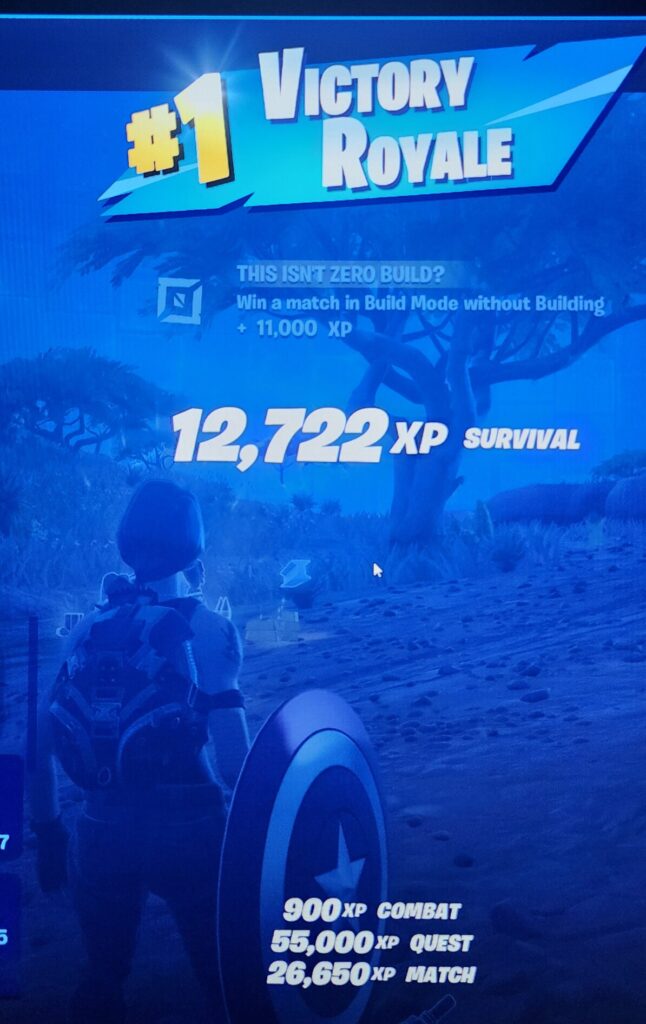
Fortnite Download | All the Ways to Play Fortnite

View Full Page

Welcome to Class! 

  • Lots of Projects Happening!!
  • If you are not working on an "Approved Project" please be in Pluralsight - working on A+
  • remember, Mrs. LaMarche can see your progress and time on task in Pluralsight.
  • Each day, please write in your "What I Did Today" - these logs need to reflect accurate and actual work

View Full Page

Welcome to Class! - Welcome to WEEK 8!

  • This semester has been FLYING BY!!
  • Please take a few moments to start your week 8 "What I Did Today" Section of your portfolio

View Full Page
Week 9 | October 14th - October 18th | Edit Week 9 - Rotate Days / Change Dates or Style [must be logged in]

Welcome Back!

  • Team Building OK
  • Write in your "What I Did today" on what workplace ready skill you are working on
  • If you need to get caught up... ok to work on this or other classes

No Advisory | Early Release Schedule - End of Q1

  • Period 1 | 8:05 – 8:40
  • Period 2 | 8:45 – 9:20
  • Period 3 | 9:25 – 10:00
  • Period 4 | 10:05 – 10:40
  • Period 5 | 10:45 – 11:20
  • Period 6 | 11:25 – 12:00
  • Period 7 | 12:05 – 12:40
  • Lunch | 12:40 – 1:10
View Full Page

Welcome to Class! 

  • Lots of Projects Happening!!
  • If you are not working on an "Approved Project" please be in Pluralsight - working on A+
  • remember, Mrs. LaMarche can see your progress and time on task in Pluralsight.
  • Each day, please write in your "What I Did Today" - these logs need to reflect accurate and actual work

View Full Page

Welcome to Class!

We left off last week on Multiview drawings, that is where we are starting today!

  • Peer review Multiview drawings and make adjustments based on feedback.\
  • UPDATE Google Sites
    • Link HERE to example portfolio
  • Open Fusion 360 on your computer or using the web browser version, here is the link to the web version: https://www.autodesk.com/support/technical/article/caas/tsarticles/ts/4GAYwrd9SV4MJlh68wUATv.html
  • Log onto Fusion 360 to do the following:
    • - Make a sketch of a box: Take a screen shot of your box and paste it into a new google document that you create, name: Fusion Mon Oct 9th
    • Make a Multiview Drawing- Take a screen shot of your box and paste it into a new google document that you created.
    • Click HERE to get the slideshow with the step by step instructions on how to do each of these steps.

View Full Page